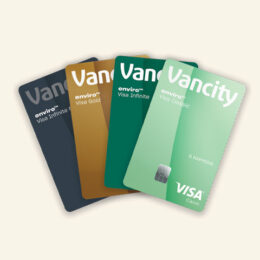
If you’re looking for support on managing your Visa card within the Manage my Visa card website, you can find that here.
How do I access my enviro Visa card information in Online Banking?
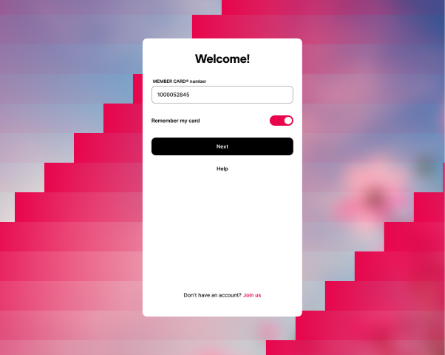
Step 1:
Sign in to Digital Banking.
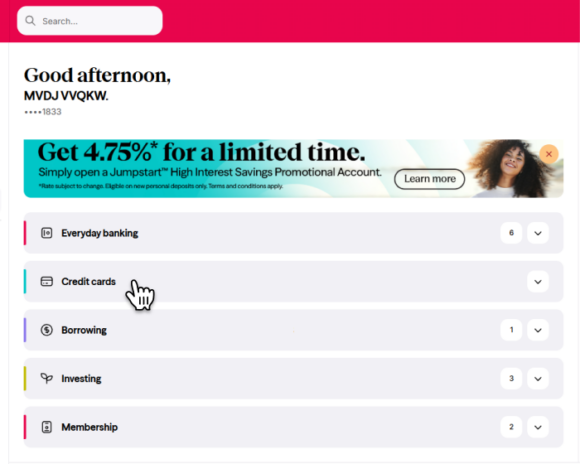
Step 2:
On the home screen, scroll down to Credit Cards and select the card you want to view.
Your Credit Card account page will display card details, transactions, and other information.
On the home screen, scroll down to Credit Cards and select the card you want to activate.
Then, on your Credit Card account page, choose Activate Card.
This option will only appear if your card hasn’t been activated yet.
There are two ways to update your PIN:
From the home screen:
Scroll to Credit Cards, select your card, then click the three dots on the right and choose Change PIN.
From your Credit Card account page:
- On desktop, select Change PIN.
- On mobile, tap More, then select Change PIN.
There are two ways to download your enviro Visa statement:
- From the home screen: Scroll to Credit Cards, select your card, then open the three dots menu and choose Statements.
- From your Credit Card account page: Select Statements.
There are two ways to lock or unlock your enviro Visa card:
From the home screen:
Scroll to Credit Cards, select your card, then click the three dots on the right and choose Lock/Unlock Card.
From your Credit Card account page:
- On desktop, select Lock/Unlock Card.
- On mobile, tap More, then select Lock/Unlock Card.
There are three ways to update your enviro Visa card statement preferences:
In eDocuments:
Open Credit Card Statements, then select Manage Statement Delivery.
- On desktop, you’ll find this option in the right-side panel.
- On mobile, tap the gear icon in the top-right corner.
From the home screen:
Scroll to Credit Cards, select your card, then click the three dots on the right and choose Manage Statement Delivery.
From your Credit Card account page:
Tap More, then select Manage Statement Delivery.
To schedule a payment to your enviro Visa card:
- On the Bills screen, select the enviro Visa card account.
- In the Payment Date field, choose a future date to schedule the payment.
Vancity Rewards Information
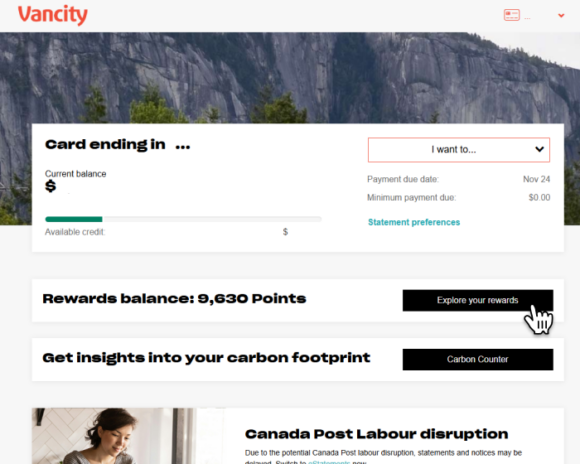
For all eligible enviro Visa cardholders with rewards, you can see your total points balance on the home page, once you log in to Manage my Visa card. To redeem points, select ’Explore your rewards’.
Under Transaction history, any transactions that earn points will display the accrued value below the dollar amount.
You can also view your rewards balance on your statement in the right-hand column under “Vancity Rewards”.
Please note that the Vancity Rewards website will open in a new tab.
To redeem points, log in to Manage my Visa Card and select ‘Explore your rewards’.
Please note that the Vancity Rewards website will open in a new tab.