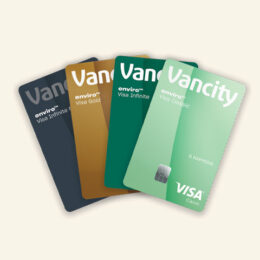
Misplaced your enviro™ Visa* credit card? Or simply want more control over your card? With new card controls and alerts, you can now lock and unlock your credit card, set card usage rules, and get notified when nearing your credit limit—all in just a few clicks. With card controls you can:
-
- Temporarily lock your card if you have misplaced it.
- Apply restrictions against merchant categories, such as dining, shopping, entertainment, and more.
- Set a limit on the maximum dollar amount allowed on a single purchase.
- Block usage of your card internationally, with the ability to specify the countries you want to include as an exception to the block for all in-person transactions.
Information about all alerts available for the enviro™ Visa* card, including how to set them up, can be found here.
Setting up card controls
The enviro™ Visa* card controls can be set up by logging into Online Banking or your mobile app.
Did you know you can also set up alerts related to your card controls? More information about Alerts available for your Visa* Card, including how to set them up can be found here.
You can control the merchant categories for which your card can be used. After clicking on “Specify merchant categories”, a list of merchant category will appear. You can then select which merchant categories you want to allow for your card. If none are selected, all merchant categories will be allowed. Keep in mind that recurring transactions will continue to be processed even if the merchant category is not listed.


Ensure to click the checkmark button to save your list of merchant categories.

Here is the full list of what is included in each merchant category:
- Business – Office work expenses including but not limited to paper, stationery, and meetings.
- Entertainment – Movies, games, music, books, concerts, and other forms of entertainment.
- Grocery – Household groceries, convenience stores, and more.
- Maintenance – Utility bills, and maintenance costs.
- Travel – Flights, hotels, car rentals, parking, and public transit.
- Dining – Restaurants, coffee shops, and bars.
- Gas – Gasoline, vehicle maintenance, and repair.
- Healthcare – Health expenses including but not limited to hair salons, drugstores, and spas.
- Shopping – Consumer goods like clothes or shoes.
- Utility – Expenses that don’t fit into other categories.
If you want to control the maximum amount per transaction, you can specify the amount that you want to allow.

After clicking on “Specify amount”, a section will appear where you can enter the maximum amount. This will block all transactions above that dollar value. Ensure to click the checkmark button to save your entered amount.

By default, the “control international usage” toggle is off (grey) meaning that all international in-person transactions will be allowed.

If you want to control where your card can and cannot be used, you can turn the ‘control international usage’ toggle on (green) and enter the countries you want to allow card usage in.
Once the toggle is on (green), all international in-person transactions are blocked.

A new “Specify Countries” button is now available where you can specify the countries where you want to allow in-person transactions. Keep in mind that transactions in Canada, and online transactions will always be allowed unless you lock your card.

If you want to remove a country, which will block your card from being used in that country, simply click the ’X’ next to the country name.

Ensure to click the checkmark button to save your list of countries.

enviro™ Visa* card controls FAQs
Keep control at your fingertips. Card controls restrict how and where your card can be used, including the ability to lock/unlock your card anytime. You can also choose to be alerted if a transaction is declined due to card controls. More information about Alerts available for your Visa Card, including how to set them up can be found here.
All primary Vancity Visa* cardholders of personal use cards and account administrators of business use cards.
To start receiving alerts, you must manually set up enviro™ Visa* card controls by logging into Online Banking or the mobile app. When you set up card controls, you can choose to lock your card and/or block international transactions, in the event you misplace your Visa* card.
Fraud alerts, on the other hand, are automatically set up for your protection. They can block your Visa* card and notify you when a suspicious activity, or a potentially fraudulent transaction, is detected. Visit [learning hub article] to learn more about fraud alerts.
There is no fee to set up card controls. If you enable the alert to notify of a decline due to card controls, check with your wireless carrier as they may charge you for receiving text messages and for data usage.
To help with peace of mind as you look for your card, log onto Online Banking or the mobile app to temporarily lock your card from usage. If the card can be found, you can safely unlock it in card controls on the same Manage my Visa* card website.
If the card cannot be found, call card services to report it as lost:
Metro Vancouver: 604-708-7810
Toll-free within Canada and US: 1-888-990-9691
Toll-free international: IAC-800-500-0707-0
(IAC = International Access Code, varies by country)
All fees and interest that are applicable to your credit card will still go through as well as recurring pre-authorized transactions and bill payments against your credit card balance. You can also keep redeeming reward points as usual.
All new purchases, cash advances, and other online or in person transactions will be declined using your physical card or digital wallet, such as Google Pay, and Apple Pay.
If a transaction occurs on your card during the time your card was locked and that transaction was not authorized by you, please contact Card Services immediately to report the unauthorized transaction.
Metro Vancouver: 604-708-7810
Toll-free within Canada and US: 1-888-990-9691
Toll-free international: IAC-800-500-0707-0
(IAC = International Access Code, varies by country)
The Primary Cardholder needs to log on to Online Banking or mobile app to adjust the controls accordingly, then try your transaction again.