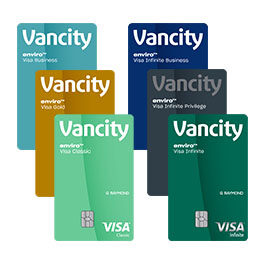
Never miss a bill payment on your Vancity enviro™ Visa* card
Put your mind at ease – you’ll never have to worry about paying additional interest due to a late or missed bill payment when you set up automatic monthly payments on your enviroTM Visa* account.
How do I set up automatic payments to my Vancity enviro Visa card?
Follow these steps to set up a free automatic payment on your Vancity enviro™ Visa* online
1. Login to Manage my Visa Card
2. Access secure messages
In the “I want to…” drop-down menu select “Access secure messages”, then on the secure messages page, select the “Create new message” button.

3. Create a message
In the “Category” drop-down menu select “Automatic payments”.
In the “Reason” drop-down menu select “Set up”.

4. Add comment
In the “Add comment” section please supply the following information:
- Your preferred payment option: Minimum monthly payment or Full payment
- Your 12-digit Vancity chequing account number.
How to find your account number
5. Select the “Submit” button
6. Confirmation
You’ll receive a confirmation message and email (which will include your request’s confirmation number) shortly after of submitting the message.
We’ll respond to your request within 2 business days, and you’ll receive an email notification when our response is ready for you to review.
Set up automatic payments from any chequing account by completing this form: Pre-authorized Debit for Vancity Visa Cards. Drop off it off along with a void cheque at any Vancity branch or fax it to 604.877.4900 (or toll free at 1.800.230.8472).
At this time, automatic payments from another Canadian financial institution can only be set up for the minimum payment amount.
| Automatic payment tip Remember to have enough in your chequing account to cover your monthly automatic payment. A $45 fee will be charged to your enviro Visa card account for insufficient funds. |
™ enviro, enviroFund, Make Good Money, and Vancity are trademarks of Vancouver City Savings Credit Union.
*Trademark of Visa Int., used under license.