
Step 1:
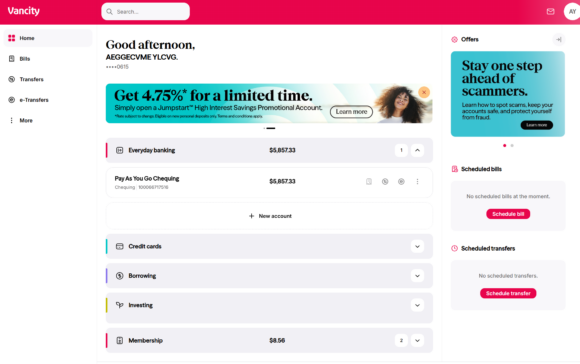
- Log in to Vancity Online Banking using the last 10 digits of your MEMBER CARD® and your PAC.
- Scroll to Investing, select Aviso Wealth, and choose Link Accounts.
- Enter the Client ID from your service partner account.
- For Aviso Wealth, use the first six digits of your account number without hyphens.
- If registered for online access, retrieve it at:
- Review pre-populated personal information.
- If correct, click Continue. If incorrect, contact the Member Services Centre.
Step 2:
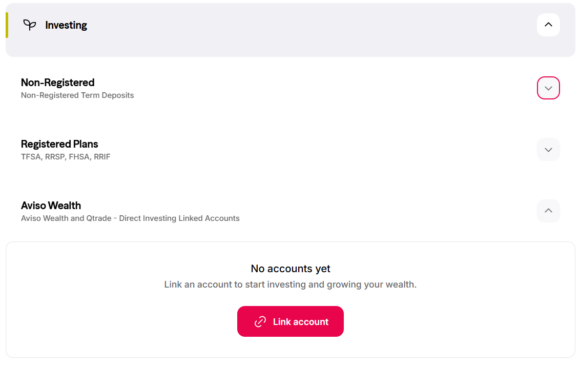
- If linking succeeds, you will see a confirmation page.
- If an error occurs, contact the Member Services Centre.
- Click Investing then Aviso Wealth to view accounts.
- The balance reflects the last closing price.
- For Aviso Wealth: Contact your Vancity Wealth Advisor or call 1-855-714-3800.
- For Qtrade Direct Investing: Call 604-605-4199 or 1-877-787-2330.
Contact details in your Vancity profile must match your partner account profile. Contact the Member Services Centre.
- Clear your browser cache.
- Log out and log back in.
Aviso Wealth accounts are view-only. Qtrade Direct Investing supports bill payments.
- Go to Manage Partner Accounts under Account Services
- Select the partner
- Click Remove
- Confirm
Legal disclosure
Vancity provides this linking service for convenience and accepts no liability for accuracy. Mutual funds are offered through Aviso Wealth. Online brokerage services are offered through Qtrade Direct Investing.
Related posts:
 How do I import my account activity into a third party finance software (such as Quicken® and QuickBooks®)?
 How do I close a personal account I no longer need?
 How do I access and manage my Online Business Banking? (Delegate)
 What are the limits for how much I can withdraw from the ATM or purchase at a point of sale (POS)?