There are three ways you can add funds to your VirtualWealth accounts:
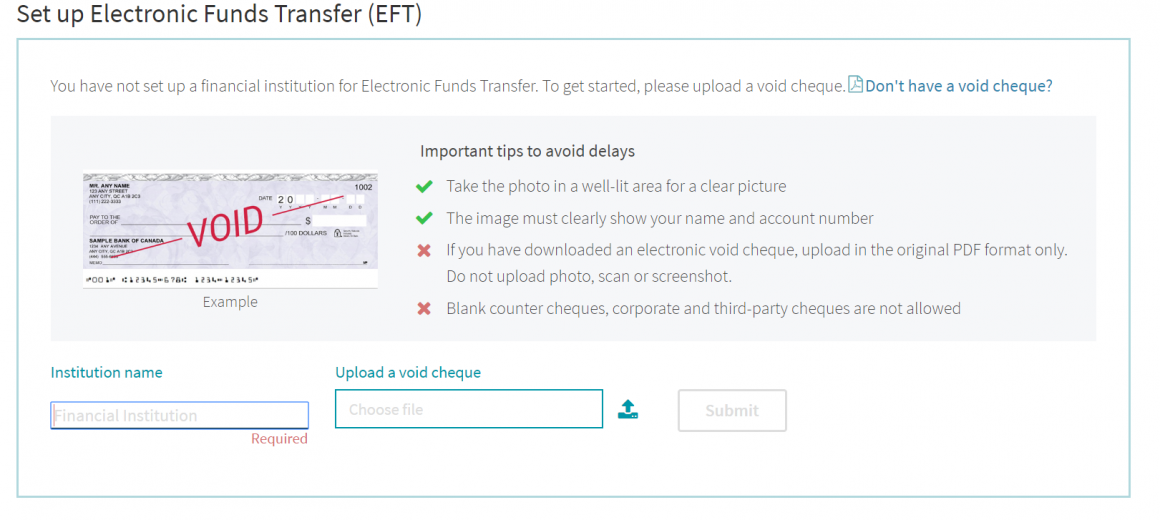
To set up recurring electronic transfers, you can upload a picture or scan of a blank cheque.
You can select the option to transfer funds directly from an existing investment.
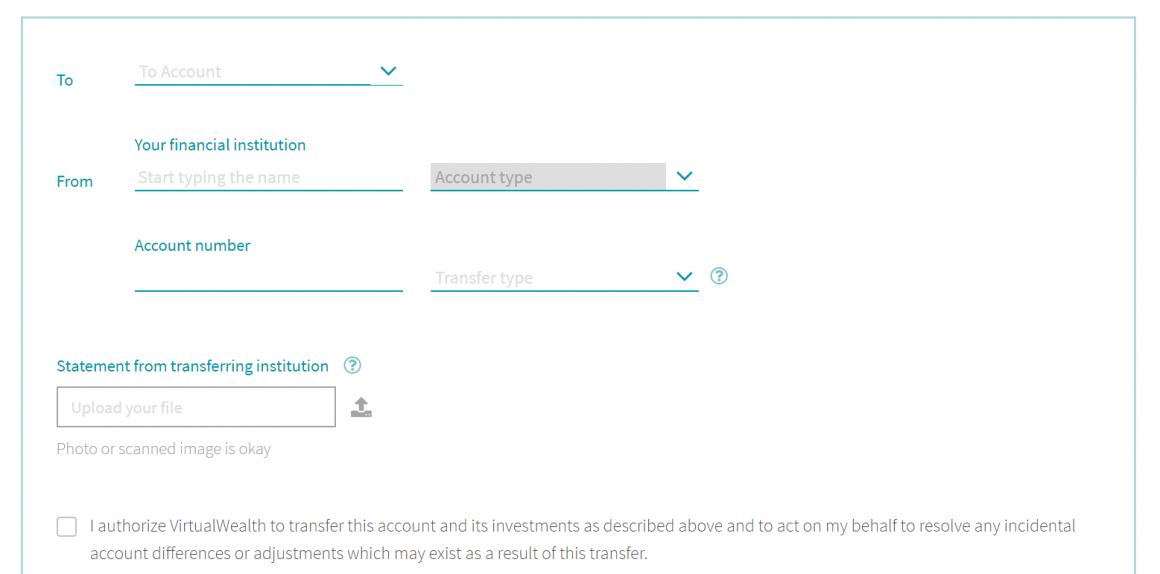
To transfer from a Vancity bank account (e.g. RRSP Jumpstart), select ‘Vancity Savings’ as your financial institution and enter the 12-digit Financial Account number of your Vancity account. Uploading a statement is optional.
VirtualWealth will assign a different account number to each investment you set up.
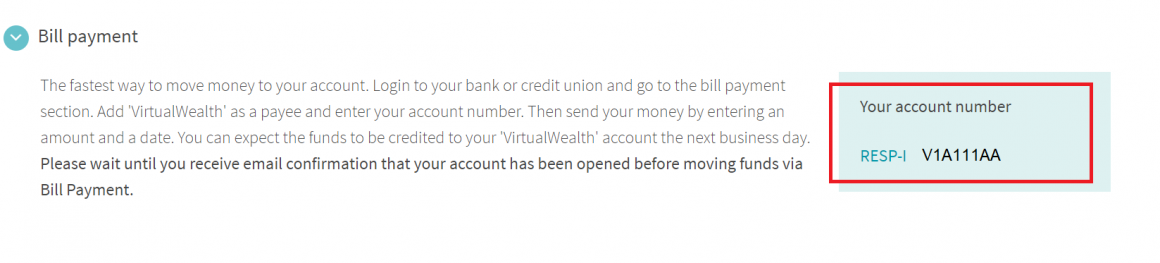
Follow these steps to add funds using the bill payment function of online banking:
- Login to online banking
- Navigate to Pay Bills > Add payee
- Search Payee Name “VirtualWealth” (all one word)
- In the Payee Account Number field, enter the account number displayed in VirtualWealth (example below)
- Wait to receive email confirmation from VirtualWealth that your account has been set up before you move funds via Bill Payment.
VirtualWealth is a trade name of Credential Qtrade Securities Inc., Member of the Canadian Investor Protection Fund.