 |
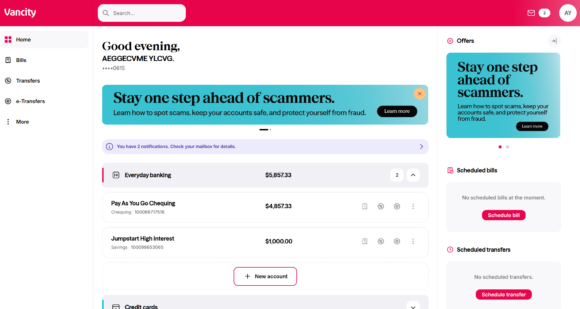
Step 1: Log in to Online Banking. Scroll to Everyday banking, expand the section, and click ‘New account’.
New to logging in? Learn more. |
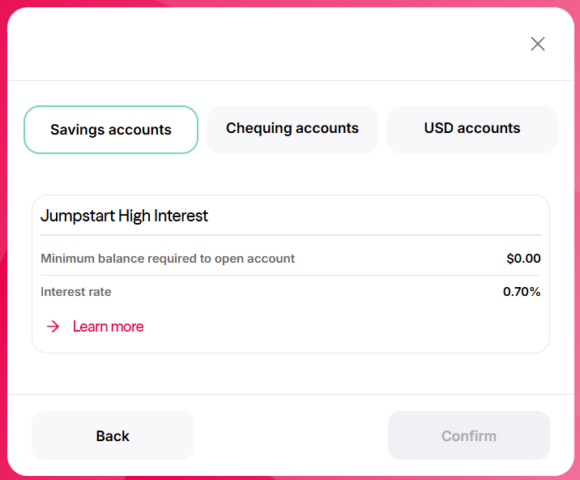 |
Step 2: Click Savings accounts and select the account type you want to open. Click ‘Confirm’ when ready. |
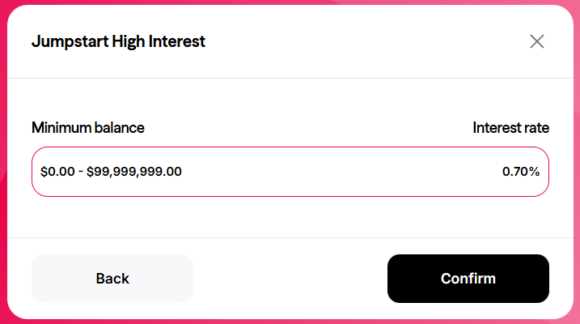 |
Step 3: Choose your preferred interest rate option and click ‘Confirm’. |
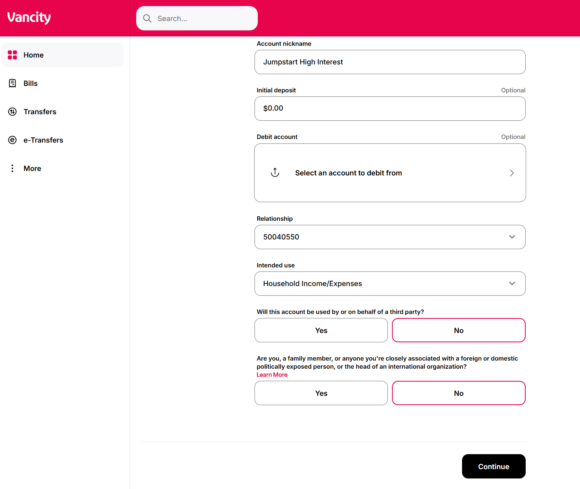 |
Step 4: Fill out the required details. Optionally, set an initial deposit and a default debit account. Click ‘Continue’ when ready. |
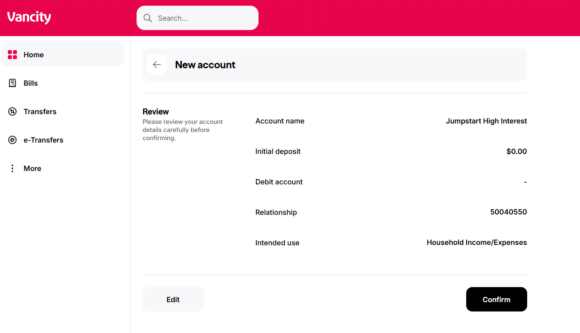 |
Step 5: Review your information and click ‘Confirm’ to finalize. |
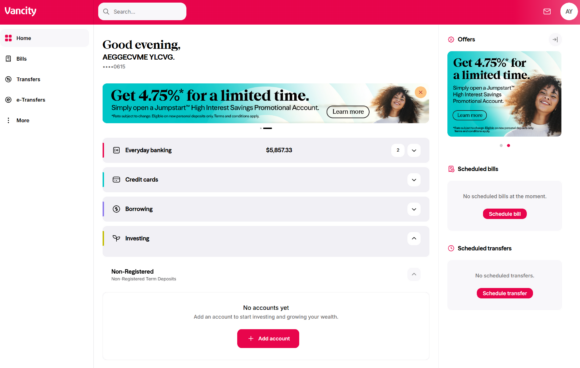 |
Step 1: Log in to Online Banking. Scroll down to Investing, expand the section, and click ‘New account’ under your preferred term deposit type. In this example, we chose non-registered.
New to logging in? Learn more. |
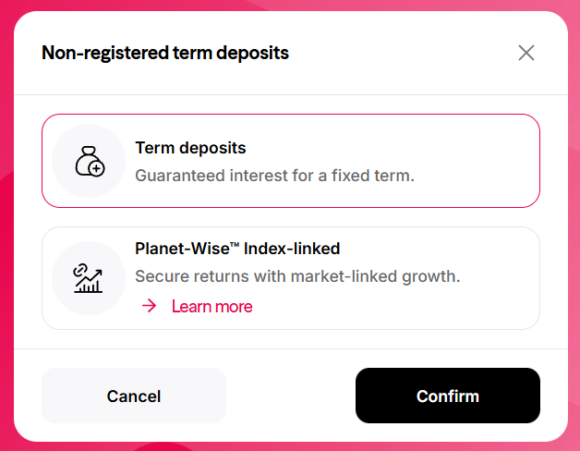 |
Step 2: Click the term deposit you want to open and click ‘Confirm’ when ready. |
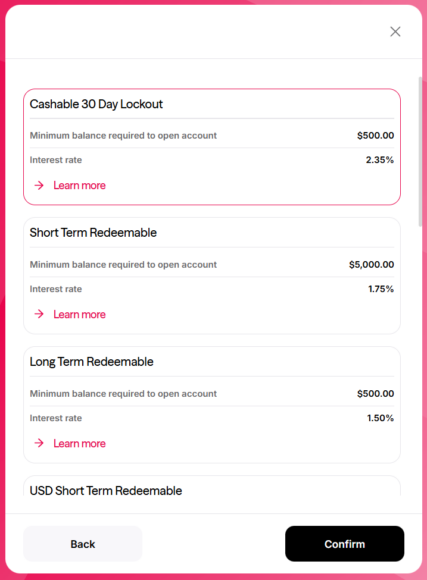 |
Step 3: Select the term deposit category and click ‘Confirm’. |
 |
Step 4: Choose the term and rate, then click ‘Confirm’. |
 |
Step 5: Fill out the required details. Optionally, set an initial deposit and a default debit account. Click ‘Continue’ when ready. |
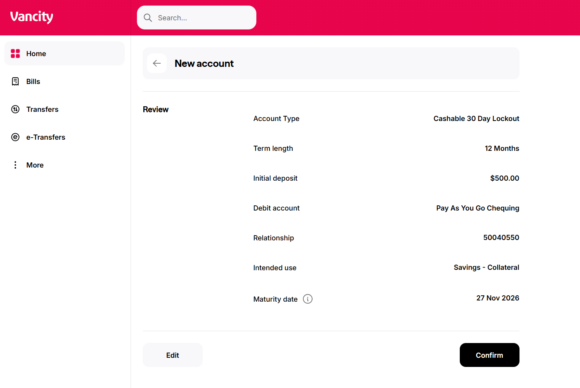 |
Step 6: Review your information and click ‘Confirm’ to finalize. |