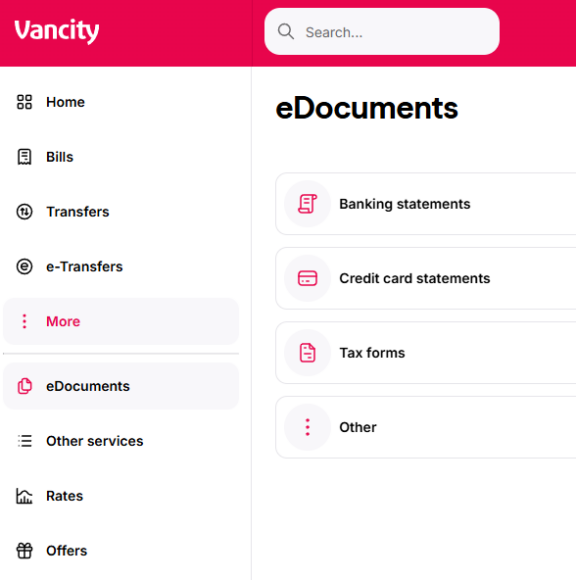
- Login to online banking through https://www.vancity.com
-
Click on ‘More,’ then select ‘eDocuments.’
-
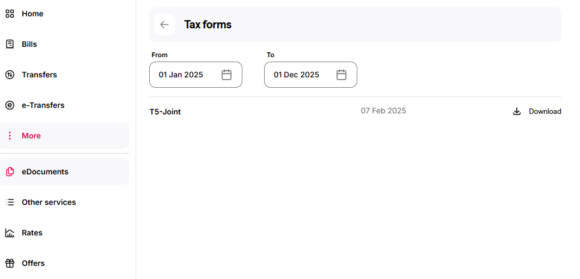
Click on ‘Tax forms.’
-
Select the date range and download your T5.
A T5 is issued for the following:
- Solely owned relationships if interested earned is $50+
- Joint relationships if interest earned is $50+
- If members have more than one joint relationship, they will receive one T5 for each joint relationship where there is a difference in the primary relationship holder
Please visit your nearest Vancity community branch or call our Member Services Centre.
- Note: A T5 will not be issued for a Power of Attorney on an account