How do I see the breakdown of my deposit and loan interest?
Starting 2017, you’ll no longer see the breakdown of your interest paid on your loans, mortgages, lines of credit, and interest earned on your deposits on your T5 Statement of Interest Income.
To see this breakdown of interest earned, follow these steps:
![]() |
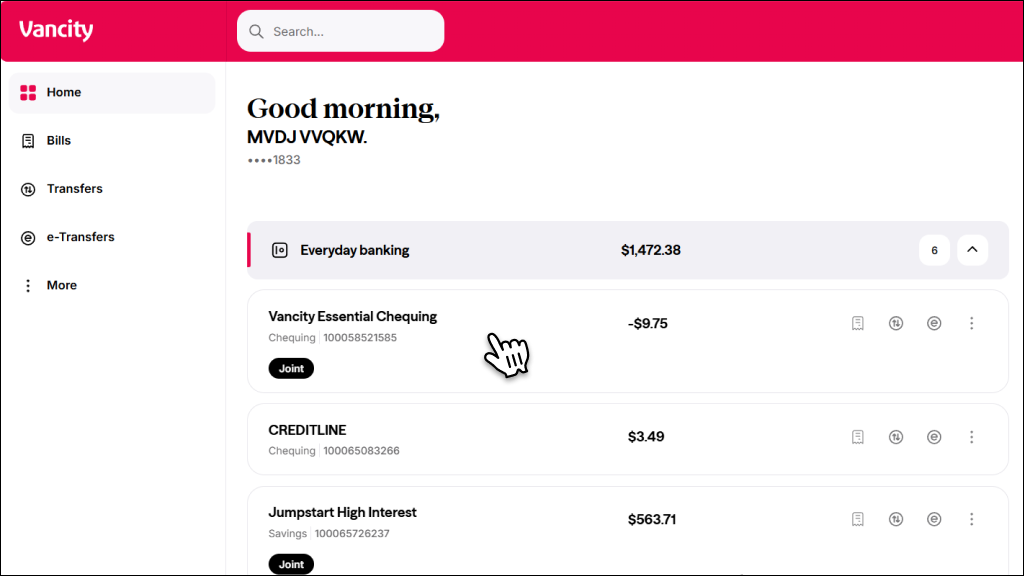
Step 1:
Log in to online banking and select the account you want the interest for. |
![]() |
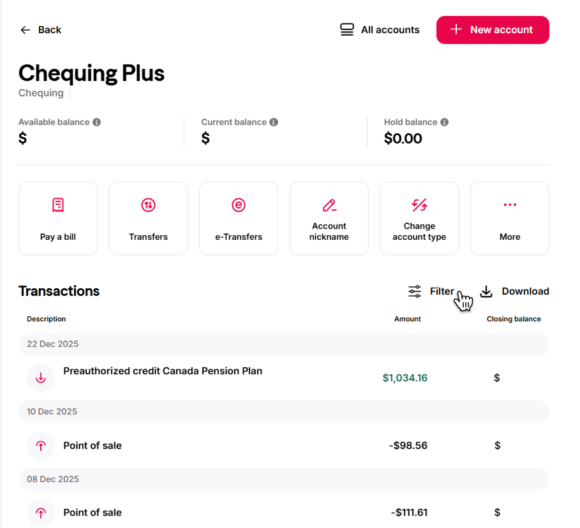
Step 2:
In Account Activity:
|
![]() |
Step 1: Log in and tap Accounts. |
![]() |
Step 2:
Tap the account you want to select. |
![]() |
Step 3:
Tap the Search icon. |
![]() |
Step 4:
|
![]() |
Step 1:
Log in to online banking and select the account you want the interest for. |
![]() |
Step 2:
Select Filter. |
![]() |
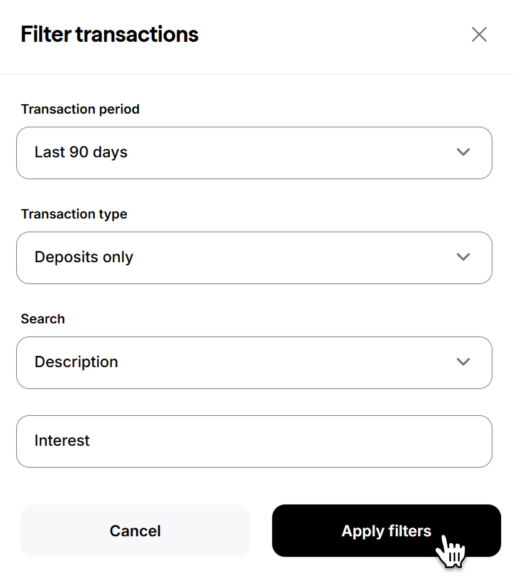
Step 3:
Complete the following:
|
![]() |
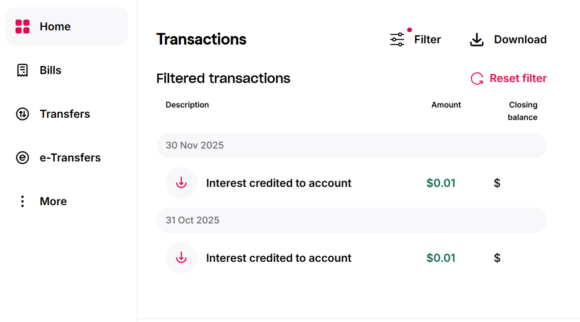
Step 4:
All the interest credited to your account for your selected Transaction period will be displayed. |
You can also refer to your statements or contact us to see the breakdown.
Note: The breakdown of interest is not required by CRA.