Your account details
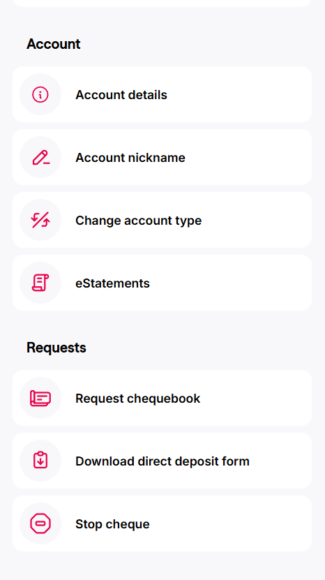
Your branch/transit number, financial institution number and account number can all be found on a cheque, in online banking or in our mobile app. You can download a void cheque online to set up a direct deposit or pre-authorized payment.
See below for instructions on how to download your void cheque
|
 |
Note: If you have a joint account, only the account holder that is logging in will see their name displayed on the direct deposit form. You will not be able to see both names. |
 |
OR you can write down your account information and send it to your vendor.
Step 1:
|
 |
Step 2:
|
 |
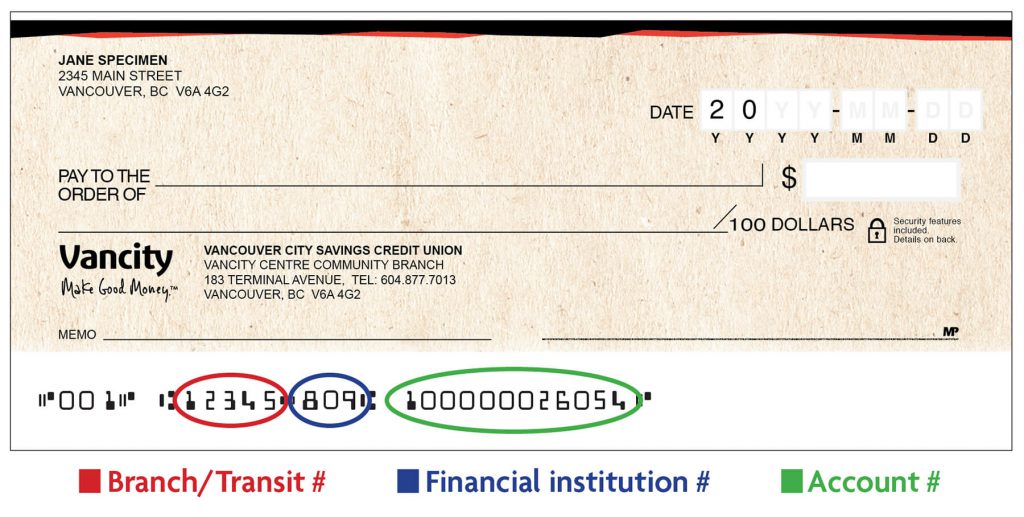
If your cheques were printed before 2017 and the account number on your cheque does not start with 1000, please log into Online Banking, or talk to us at a branch or over the phone, to obtain your current account number.
Step 1:
|
 |
Step 2:
|
 |
Step 3:
|
 |
If you do not have a cheque or access to online banking, please visit your nearest community branch or call 604.877.7000 (toll-free at 1.888.826.2489) for assistance.
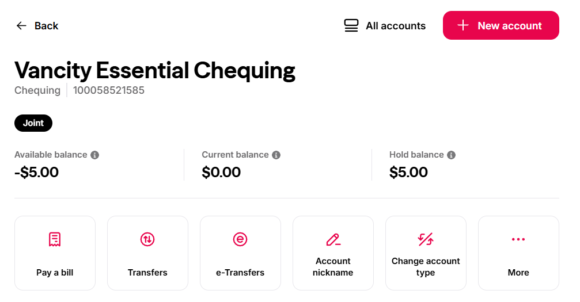
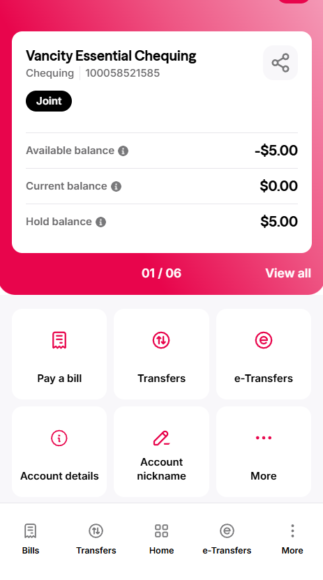
Your branch/transit number, financial institution number and account number can all be found on a cheque, in online banking or in our mobile app. You can download a void cheque online to set up a direct deposit or pre-authorized payment.
See below for instructions on how to download your void cheque:
|
 |
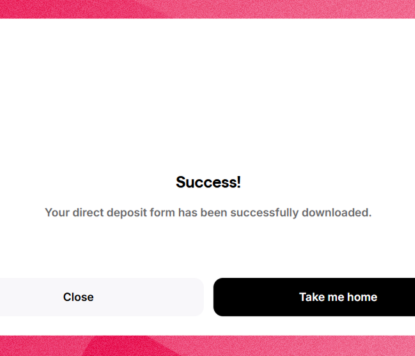
Note: If you have a joint account, only the account holder that is logging in will see their name displayed on the direct deposit form. You will not be able to see both names. |
 |
|
 |
|
  |
OR you can write down your account information and send it to your vendor.
If your cheques were printed before 2017 and the account number on your cheque does not start with 1000, please log into Online Banking, or talk to us at a branch or over the phone, to obtain your current account number.
Step 1:
|
 |
Step 2:
|
 |
Step 3:
|
 |
Step 4:
|
 |
If you do not have a cheque or access to online banking, please visit your nearest community branch or call 604.877.7000 (toll-free at 1.888.826.2489) for assistance.