
|
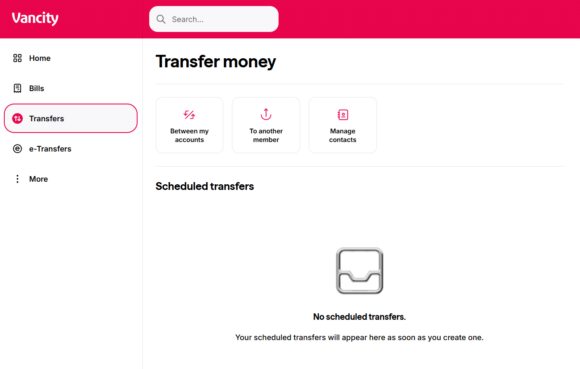
Step 1: Go to “Transfer” on the left side of the menu bar and select “To another member”. |

|
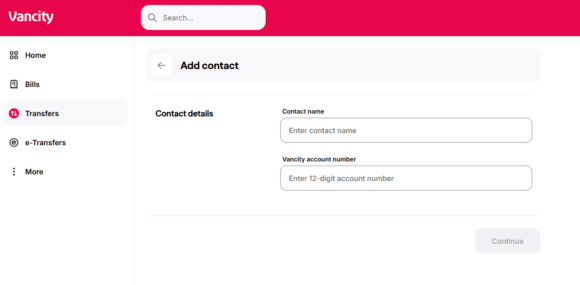
Step 2: Select ‘Add contact’. |
|
Step 3: Set up the contact name and enter the 12 digit Vancity account number. |
|
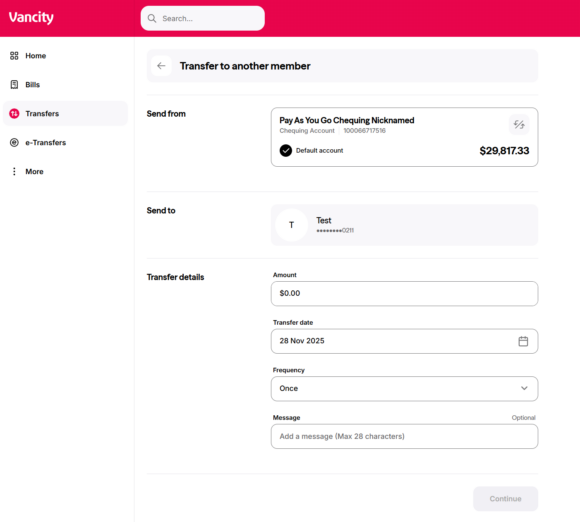
Step 4: Once the member is set up, return to the previous screen and click on the member. Fill out the fields, continue, and confirm to finalize. |


