Here’s how:
 |
Step 1:
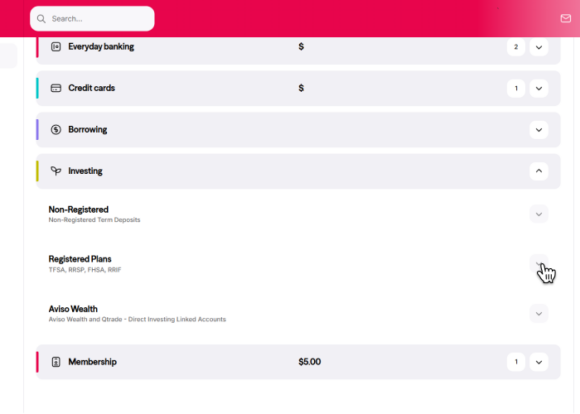
Log in to Online Banking. Once logged in, scroll down and click the Investing tab. Then, click the Registered Plans tab to view all your registered products. Click the RRSP, TFSA, or RRIF product you would like to find the contract number for. |
| Step 2:
On the right side of your screen, you’ll find your Account Details. In this section, you’ll be able to find your Contract number. |
 |
Step 1:
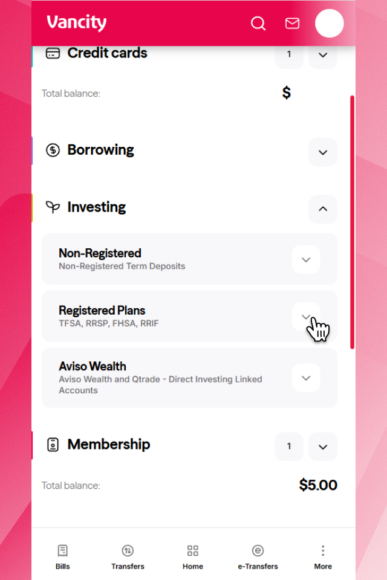
Log in to the Vancity mobile app. Once logged in, scroll down and tap on the Investing tab. Then, tap on the Registered Plans tab to view all your registered products. Tap on the RRSP, TFSA, or RRIF product you would like to find the contract number for. |
| Step 2:
Tap on the Account details tab. In this section, you’ll be able to find your Contract number. |