To see this breakdown of interest earned, follow these steps:
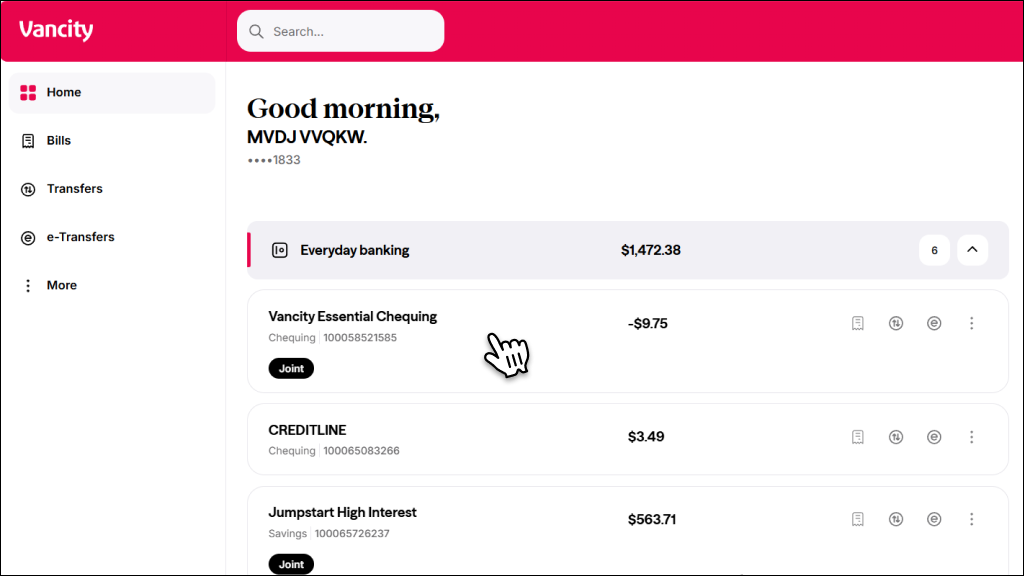 |
Step 1:
Log in to online banking and select the account you want the interest for. |
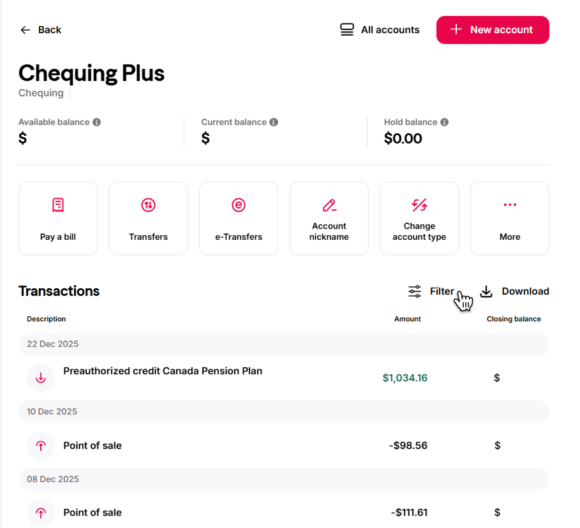 |
Step 2:
Select Filter. |
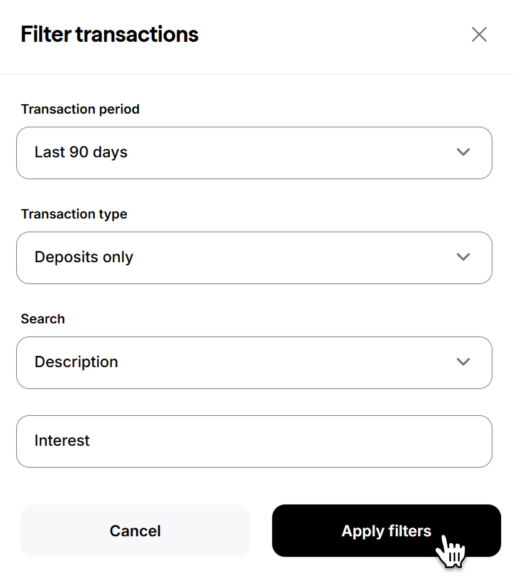 |
Step 3:
Complete the following:
|
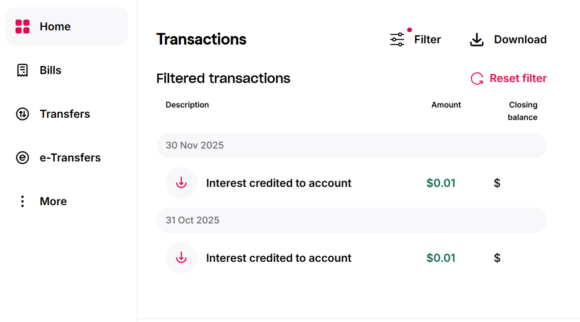 |
Step 4:
All the interest credited to your account for your selected Transaction period will be displayed. |
You can also refer to your statements or contact us to see the breakdown.
Note: The breakdown of interest is not required by CRA.